KW Studio / Marketplace directoryAll products + 28 major categories
Roblox asset categories
Browse Roblox asset categories
Browse every marketplace listing through All Products, jump into a highlighted core category,
search the full catalog, or open Sellers & Collections for more focused browsing.
KW Studio / All ProductsRoblox Studio development assets
Roblox Assets, Models & Game Templates for Roblox Studio
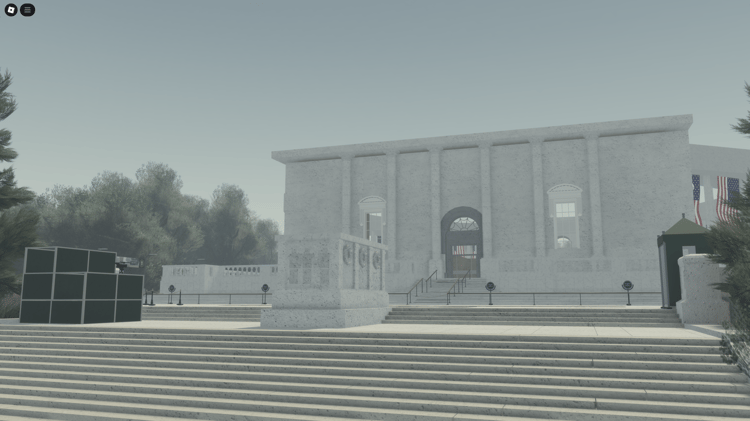
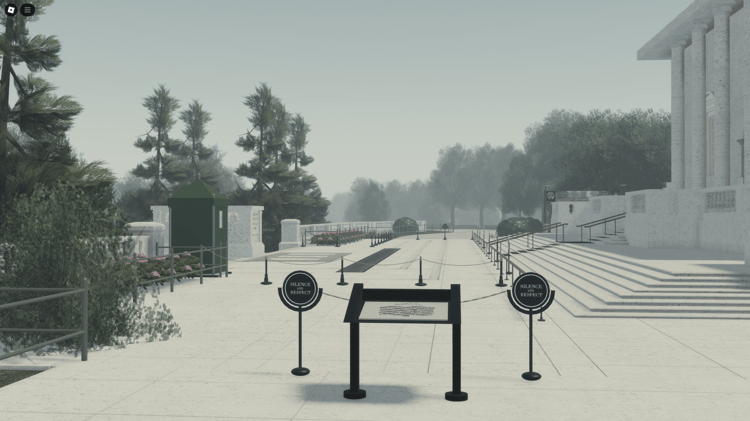
KW Studio is an independent Roblox asset marketplace for downloadable maps, models, scripted systems, complete game templates, vehicles, UI and asset packs. The All Products catalog brings these resources together so you can compare a whole project foundation with individual components for a game you are already building.
Choose by the work you need the asset to do. A city map can supply the setting, an inventory system can add a mechanic, and a matching model pack can fill gaps in the environment. Product descriptions, demonstrations and setup instructions help you judge which combination fits your project.
Find the right type of Roblox asset
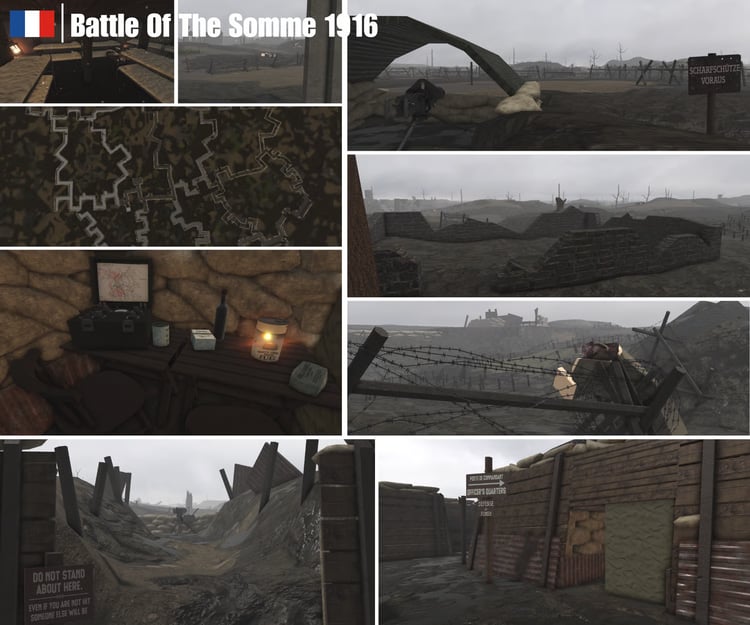
Compare what each product supplies before comparing price. The catalog spans roleplay, military, simulator, driving, historical, fantasy and other project styles, alongside animations, VFX and character resources.
Choose a map for its layout, scale, interiors and routes between playable areas. Check whether lighting, buildings and terrain are included, and which gameplay systems still need adding.
Compare the playable loop, progression, interfaces and configuration. A complete game template can cover several development layers, but its listing determines what is supplied and what you need to set up.
Look for the specific function you need: inventory, combat, interactions or another mechanic. Check installation instructions, dependencies and how the system connects to your existing code.
Compare scale, visual consistency, included variations and how many pieces your project will use. A building or prop model does not necessarily include interiors, interaction scripts or gameplay.
Confirm whether the product is a static model or includes a driving or flight system. Look for controls, chassis requirements, configuration and a demonstration of the features described.
Distinguish a visual layout from a working interface. Check which interactions are scripted and whether you must connect buttons, inventory displays or shop screens to your own systems.
Build around the parts your project actually needs
A map, a system and a complete game template solve different amounts of the same project. Before adding another product, list what your current build already does and what is missing. This helps avoid buying two systems that handle the same feature or a large pack when you need only a few objects.
Starting with a map
Plan the activities that make the world playable. A roleplay environment may need teams, vehicles, interactions and menus. Check the map’s existing features before choosing additional systems.
Starting with a game template
Try the supplied gameplay first. Decide what to keep, configure or replace. Adding a second inventory, currency or saving system can create extra integration work if the template already includes one.
Expanding an existing game
Choose a focused asset for a specific gap, such as a menu, building set or vehicle. Compare its scale, controls and dependencies with your project before committing to a larger redesign.
Compatibility is a project decision. Assets from different sellers are not automatically designed to work together. A matching visual style does not establish script compatibility, and an impressive preview does not show every setup requirement.
For free games and game foundations, check the listing’s included mechanics and remaining setup. A free download may supply a complete example, a single feature or an environment. Use the same checks for free and paid products: file contents, documentation, dependencies and the applicable license.
What to check before buying Roblox assets
Included files and features. Match the description to the screenshots or demo. Confirm whether scripts, interiors, UI and supporting assets are included or shown only for presentation.
Remaining setup. Look for required modules, asset permissions, IDs and configuration. Ask the seller about anything your project needs that the listing does not explain.
Editing and integration. Check the supplied format and editable components. Estimate the work to adapt the asset to your scale, theme and existing systems.
License and support. Read the Digital Asset License, listing terms and support information before purchase. Ask about unclear use cases instead of assuming download access grants every right.
After downloading: test one addition at a time
Keep a backup and open unfamiliar assets in a separate test project. Follow the seller’s instructions, inspect the supplied files and test the advertised feature before connecting it to the rest of your game.
For multiplayer systems, test with more than one player. Check controls and interfaces on the devices you intend to support. For systems that save player data, use a separate test experience and test data.
Who sells these assets, and where can you get help?
KW Studio is operated by Kingdoms Way Studio in Helsinki, Finland. Leonard Sandberg oversees marketplace operations and seller standards, Leevi Peuralahti develops its technical systems, and Dragan Arsov coordinates seller communication and marketplace moderation. Individual listings identify the products being offered; check the seller information and support route for the asset you choose.
Sellers apply for marketplace access, and KW Studio may request ownership evidence or review a product where needed. Access approval is not a guarantee that every product will suit every project. The Marketplace Rules explain product standards and seller expectations.
Setup and download help
Use the seller’s listed contact for product-specific questions. The KW Studio Help Center covers marketplace support and common download issues.
Purchase problems
Keep your order details, product link and a description of the issue. Consult the Refund Policy or contact help@kwstudio.org for marketplace assistance.
Ownership or unsafe-file concerns
Use the product report and DMCA route to flag suspected copied content, misleading listings or unsafe behavior, with the product link and supporting evidence.
Roblox asset marketplace questions
What can I buy on KW Studio?
KW Studio sells downloadable Roblox development assets, including maps, models, asset packs, scripted systems, vehicles, UI templates and complete game projects. Each product listing explains its price, included files, features and setup requirements.
Does KW Studio have free Roblox assets and game templates?
Yes. The free Roblox assets collection includes resources for learning, prototyping and building projects. Check each listing for the current price and contents. A free map, model or game template may still need configuration, scripting or additional assets.
What is the difference between a Roblox map and a complete game template?
A map supplies an environment. A complete game template combines an environment with connected gameplay systems. Neither label guarantees a particular feature: check the listing for the mechanics, UI, saving and other components your project needs.
Do I need scripting knowledge to use Roblox assets?
It depends on the product. Placing a static model may require only basic Roblox Studio skills. Scripted systems and game templates can require Luau knowledge, configuration changes and integration with other systems. Read the setup requirements before choosing.
Can I combine assets from different sellers?
You can plan a project around assets from different sellers, but compatibility must be checked. Compare scale and art style for models, and dependencies, controls and data structures for scripted systems. Test each addition separately before combining it with the rest of the project.
What should I check before downloading or buying an asset?
Check the included files, demonstrated features, setup instructions, dependencies, seller information, support route and applicable license. For scripted products, confirm what you can configure and test the supplied project before adding it to your live experience.
All Products / Buyer questions
Roblox Asset Marketplace FAQ
Practical questions about browsing the full KW Studio catalogue, combining
maps, games, systems and asset packs, comparing developer quality, and knowing
when broad marketplace discovery is more useful than a narrow category.
It is the broadest marketplace view on KW Studio. Instead of restricting
browsing to one genre or resource type, it can place Roblox maps, complete
games, scripted systems, vehicles, UI, models, terrain, VFX and asset packs
in the same catalogue.
Specialist categories are better when you already know exactly what you
need. All Products is better when you want to discover ideas across the
marketplace. A buyer focused only on one niche can miss most of the strong
work available in other genres and asset types.
Not always. From KW Studio's marketplace experience, larger orders often
combine a map or complete game with scripted systems, asset packs
and frequently vehicle packs. Buyers often build a small project
kit around the main foundation rather than stopping with one product.
Yes. A developer may begin looking for one complete game and decide that a
strong map plus focused systems gives them more control. Another may search
for one vehicle and discover that a matching pack makes more sense. Broad
browsing is useful while the project plan is still flexible.
Development skill usually shows across several details rather than one
impressive screenshot. In marketplace review, stronger work tends to feel
more consistent in structure, execution, visual decisions, configuration
and how well the asset solves its intended development problem.
That does not make every product from an experienced creator perfect, but
the overall level of judgement is often noticeable enough to make certain
assets much easier to recommend confidently.
Choose based on how much existing structure you want. A complete game can
remove several early development layers at once. A map plus separate systems
normally gives you more control over which mechanics, UI and supporting
resources become part of the final project.
A map or game provides the main environment or foundation, while packs add
the supporting content that makes it feel complete. Vehicles can add
transport and roleplay depth; building, prop or environment packs can fill
out the world without forcing the developer to create every secondary asset
from scratch.
No. A map should be judged mainly as an environment. A scripted system
should be judged by its functionality, configuration and integration needs.
An asset pack should be judged by consistency and how many pieces are
genuinely useful together. A complete game needs to be evaluated as a wider
project foundation with more existing structure to understand and customize.
Yes. Broad marketplace browsing can be part of project planning. Developers
can compare genres, see how other creators solve similar problems, prepare a
future purchase and discover resources that influence the direction of the
game before any order is placed.
We use cookies to improve your experience and keep the site running smoothly.
Thank you!
Your message has been successfully sent
Thank you!
Your form has been submitted. Please check your email for a copy of your responses. If you're accepted, you'll receive an email with a link to checkout.
Could not add item to cart
Write a Review
After purchase you are sent an email receipt which includes your download page link. Please visit that download page to submit a review for this product.