Your Cart
Loading

 Lock Pad System – Roblox Pad Management System

On Sale
$3.99
$3.99
Added to cart

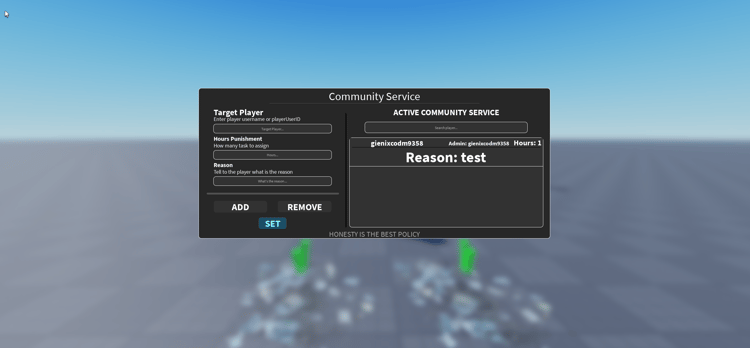
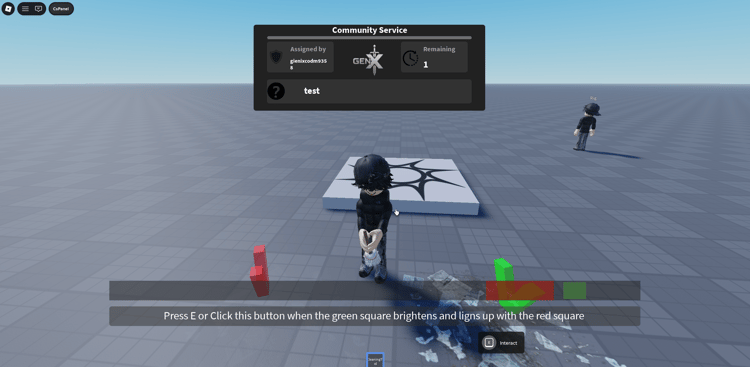
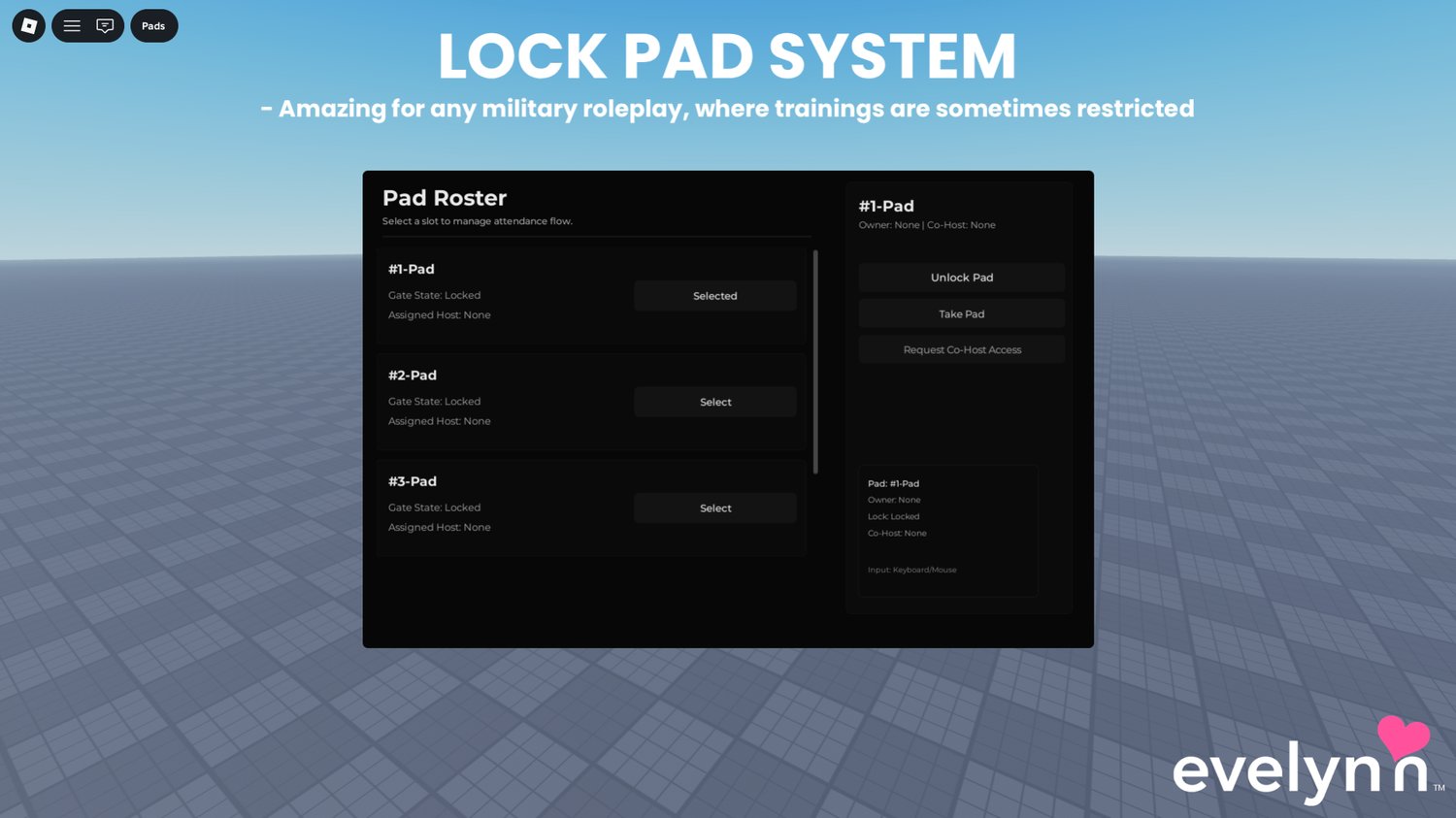
A pad management system for Roblox military and roleplay communities that allows authorized players to claim, manage, lock, and release mapped pads through a centralized control panel. The system provides clear ownership and co-host roles for managing pad access.

Owners can request and manage co-host permissions while server-side logic controls pad ownership, lock states, and mapped pad part behavior. Locking can control collision and transparency for configured pad parts, while access policies can restrict usage by Roblox Group rank, team, or combined rules.

The system also handles co-host requests, player lifecycle events, cooldowns, and automatic cleanup. It supports keyboard, touch, and gamepad interaction with configurable settings for buyer customization.


Key Features


  • Pad management panel accessible through configurable command or Topbar control
  • Pad ownership system for claiming and releasing configured pads
  • Co-host request system for sharing pad management permissions
  • Owner controls for approving or denying incoming co-host requests
  • Server-authoritative pad lock and unlock state management
  • Configurable collision and transparency control for mapped pad parts
  • Group and rank-based access restrictions for authorized pad controllers
  • Team-based access controls for limiting pad management permissions
  • Combined group, rank, and team policy modes
  • Per-action cooldowns and rate limiting for core pad interactions
  • Sliding owner notification for incoming co-host requests
  • Accept and deny controls for co-host permission requests
  • Visible request expiry timeline for pending co-host requests
  • Automatic co-host cleanup when authorized players leave or die
  • Automatic owner lifecycle handling for player leave and death events
  • Forced pad unlock when the current owner leaves
  • Keyboard, touch, and gamepad support for multi-platform gameplay
  • Configurable customer-facing and advanced system settings
  • Included pad mapping configuration guide
  • Included access-policy setup notes for groups, teams, and ranks
  • Included co-host request and permission configuration guide
  • Modular service and controller architecture for easier editing


6a7c9796046c8325b85b333e
You will get a RBXM (220KB) file

KW Studio • Product Guide

Before you use this product

Review the detected asset type, seller context, setup requirements and testing steps before adding this Roblox Studio product to a live experience.

This Roblox Studio asset is listed through KW Studio. Review the live product description, screenshots, seller details, delivery information and setup expectations before use.
Asset type Roblox Studio Asset
Seller Seller shown on page
Availability Shown on product page
Seller status Seller details shown on page

Seller context

Seller shown on this product page

Marketplace seller

KW Studio shows seller details on the product page when available. Full seller background information belongs on the seller profile page, while this product FAQ focuses on product setup, delivery, testing, and buyer expectations.

Product questions and setup guidance

Answers are adapted automatically from the live product page, detected asset type and available seller information.

This is a downloadable Roblox Studio asset listed through KW Studio. Review the product title, screenshots, description, visible features, seller information, and file expectations before using it in a live Roblox experience.

When a KW Studio product page shows a Verified Seller badge, it means the seller has passed KW Studio’s seller verification checks shown on the page. Buyers should still review the product description, screenshots, and setup expectations before purchase or download.

This product is sold by the seller shown on this page. When available, KW Studio displays the seller name, contact options, seller tags, and a seller profile link. Longer seller background information should be reviewed on the seller profile page instead of inside the product description.

Download the file, open or import it inside Roblox Studio, review the Explorer structure, and test the asset in a separate place before adding it to your main project.

This asset can be useful for Roblox developers who want a faster starting point, but the final use depends on your project goals, game structure, customization work, and testing process.

Test the asset in Roblox Studio before publishing. Check file structure, scripts if included, scale, performance, mobile usability, permissions, missing parts, and whether the asset fits your own game.

Some Roblox Studio assets may require importing, configuration, testing, ID replacement, scripting knowledge, or customization depending on what is included.

For product-specific questions, use the seller contact methods shown on this product page when available. For marketplace support, download issues, duplicate purchases, mistaken purchases, unclear listings, or escalation, contact KW Studio support.

KW Studio products are downloadable Roblox Studio assets. Free products and paid products should both be tested before use. Paid purchases are generally final once delivery or download access begins, except where required by law or where KW Studio determines that a genuine delivery, duplicate purchase, seller, or product issue requires support action.

Digital product notice: KW Studio products are downloadable Roblox Studio assets. Free products and paid products should both be tested inside Roblox Studio before publishing. Paid purchases are generally final once delivery or download access begins, except where required by law or where KW Studio determines that a genuine delivery, duplicate purchase, seller, or product issue requires support action. If you believe you purchased by mistake, do not download the file and contact help@kwstudio.org. Review the KW Studio Digital Delivery Policy and KW Studio Digital Asset License before purchase.