Your Cart
Loading

Gandeng Player Carry System – Roblox Holding Hands Script

On Sale
$5.99
$5.99
Added to cart

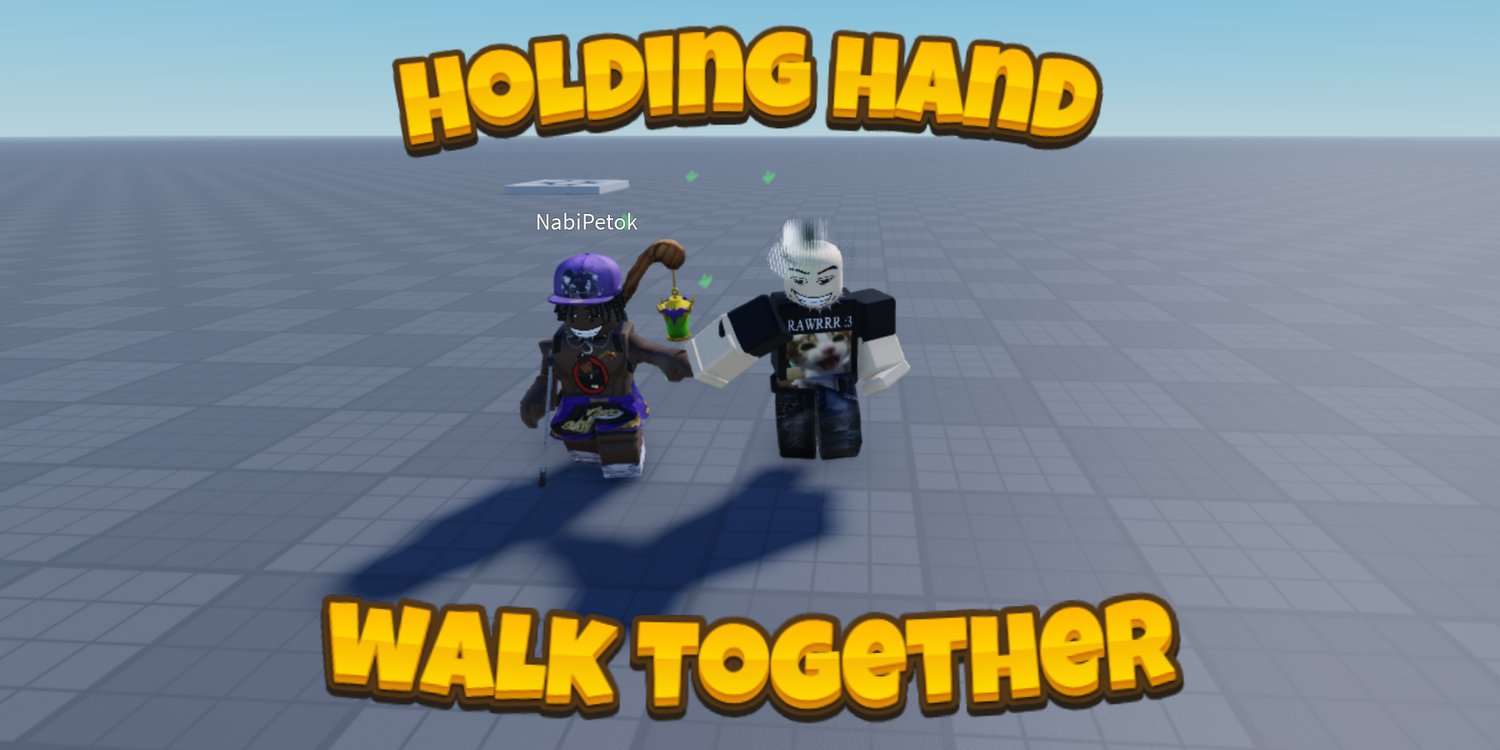
The Gandeng Holding Hands System allows players to connect with another player and walk together using an interactive request and acceptance system. Players can select someone, send a carry request, and wait for the other player to accept or reject it. Requests expire automatically if unanswered, and either player can end the connection using the release button.

The system includes synchronized walking animations, IKControl hand alignment, avatar scale adjustments, and smooth follower movement. The follower responds to the carrier's movement, including jumping and climbing stairs, with a configurable vertical delay. Collision between paired characters is disabled to help prevent them from interfering with each other.

The package includes a modular script setup with separate networking, session, rig, hand alignment, and access modules, alongside a central Config module. It supports mouse and touch input, automatically scaled UI, and an optional gamepass requirement that can be enabled by entering a gamepass ID or disabled by setting it to 0.


KEY FEATURES


  • Player selection system that lets users choose another player to send a holding hands request.
  • Carry Right interaction that sends an invitation to the selected player.
  • Accept and Reject prompts that allow the receiving player to control whether the connection begins.
  • Automatic expiration for unanswered requests so pending invitations do not remain active indefinitely.
  • Smooth follower movement using physics simulated on the carrier's client.
  • Walking animations for both players while they are connected.
  • Animation speed that follows the movement speed of the paired characters.
  • Slight timing variations between the two walking animations for a more natural appearance.
  • IKControl hand alignment that keeps the joined hands connected despite changes in arm movement.
  • Avatar scale support that calculates side offset and height according to character proportions.
  • Adjustable follower positioning to help align players of different avatar sizes.
  • Vertical movement tracking that allows the follower to respond to jumps and stairs with a configurable delay.
  • Disabled collision between paired characters to reduce unwanted physical interference.
  • Automatic separation when either player dies or leaves the game.
  • Distance detection that releases the connection when the players move too far apart.
  • Manual Release button that allows players to separate at any time.
  • Optional gamepass access system controlled through a single ID in the configuration.
  • Automatic purchase prompt handling when the feature requires a gamepass.
  • Free-access configuration when the gamepass ID is set to 0.
  • PC support with mouse-based player selection and interaction.
  • Mobile support with touch input and interface scaling for different devices.
  • Animated player card displaying the selected player's avatar headshot.
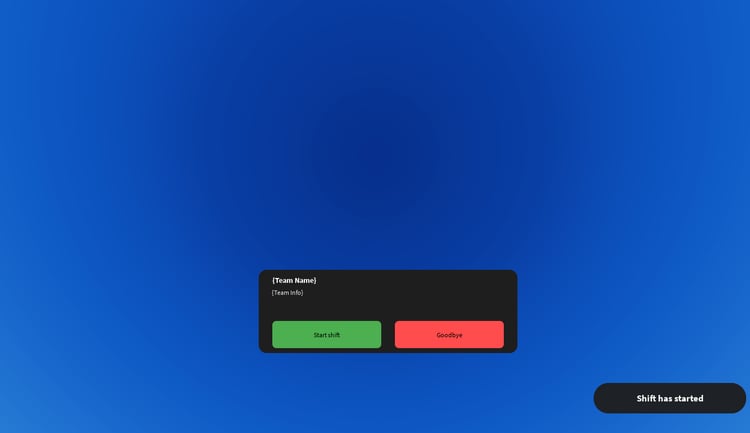
  • Invitation popup for incoming holding hands requests.
  • Hover and click sound effects for interactive UI elements.
  • Dedicated networking module for communication between players and the system.
  • Session module for managing active player pairs and their connection state.
  • Rig module for handling character setup and movement alignment.
  • Hands module for managing IKControl and joined-hand positioning.
  • Access module for handling feature availability and optional gamepass requirements.
  • Central Config module for managing the main system settings and adjustable values.


Video here


69b2623edf95feac38b22cf8
You will get a RBXL (133KB) file

KW Studio • Product Guide

Before you use this product

Review the detected asset type, seller context, setup requirements and testing steps before adding this Roblox Studio product to a live experience.

This Roblox Studio asset is listed through KW Studio. Review the live product description, screenshots, seller details, delivery information and setup expectations before use.
Asset type Roblox Studio Asset
Seller Seller shown on page
Availability Shown on product page
Seller status Seller details shown on page

Seller context

Seller shown on this product page

Marketplace seller

KW Studio shows seller details on the product page when available. Full seller background information belongs on the seller profile page, while this product FAQ focuses on product setup, delivery, testing, and buyer expectations.

Product questions and setup guidance

Answers are adapted automatically from the live product page, detected asset type and available seller information.

This is a downloadable Roblox Studio asset listed through KW Studio. Review the product title, screenshots, description, visible features, seller information, and file expectations before using it in a live Roblox experience.

When a KW Studio product page shows a Verified Seller badge, it means the seller has passed KW Studio’s seller verification checks shown on the page. Buyers should still review the product description, screenshots, and setup expectations before purchase or download.

This product is sold by the seller shown on this page. When available, KW Studio displays the seller name, contact options, seller tags, and a seller profile link. Longer seller background information should be reviewed on the seller profile page instead of inside the product description.

Download the file, open or import it inside Roblox Studio, review the Explorer structure, and test the asset in a separate place before adding it to your main project.

This asset can be useful for Roblox developers who want a faster starting point, but the final use depends on your project goals, game structure, customization work, and testing process.

Test the asset in Roblox Studio before publishing. Check file structure, scripts if included, scale, performance, mobile usability, permissions, missing parts, and whether the asset fits your own game.

Some Roblox Studio assets may require importing, configuration, testing, ID replacement, scripting knowledge, or customization depending on what is included.

For product-specific questions, use the seller contact methods shown on this product page when available. For marketplace support, download issues, duplicate purchases, mistaken purchases, unclear listings, or escalation, contact KW Studio support.

KW Studio products are downloadable Roblox Studio assets. Free products and paid products should both be tested before use. Paid purchases are generally final once delivery or download access begins, except where required by law or where KW Studio determines that a genuine delivery, duplicate purchase, seller, or product issue requires support action.

Digital product notice: KW Studio products are downloadable Roblox Studio assets. Free products and paid products should both be tested inside Roblox Studio before publishing. Paid purchases are generally final once delivery or download access begins, except where required by law or where KW Studio determines that a genuine delivery, duplicate purchase, seller, or product issue requires support action. If you believe you purchased by mistake, do not download the file and contact help@kwstudio.org. Review the KW Studio Digital Delivery Policy and KW Studio Digital Asset License before purchase.