Your Cart
Loading

Deep Clean Simulator – Roblox Cleaning Game

On Sale
$9.99
$9.99
Added to cart

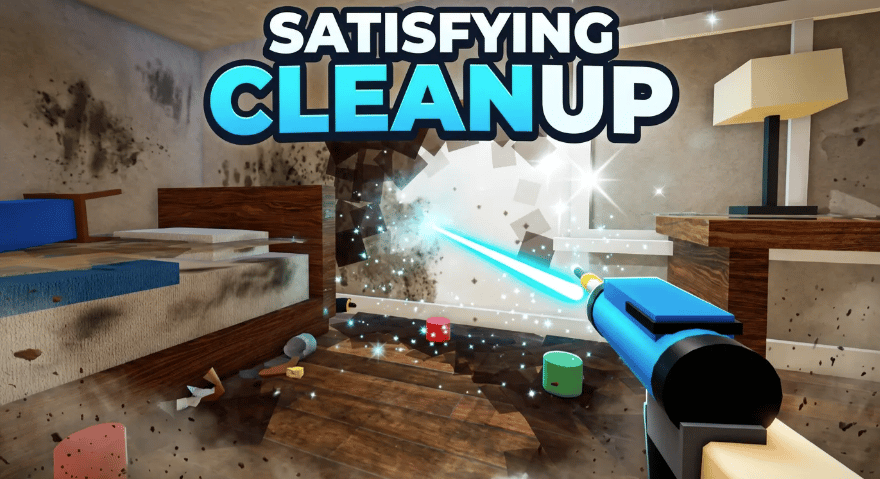
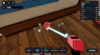
A scripted cleaning game where players restore heavily dirty rooms by working across different surfaces, furniture, stains, and scattered trash.

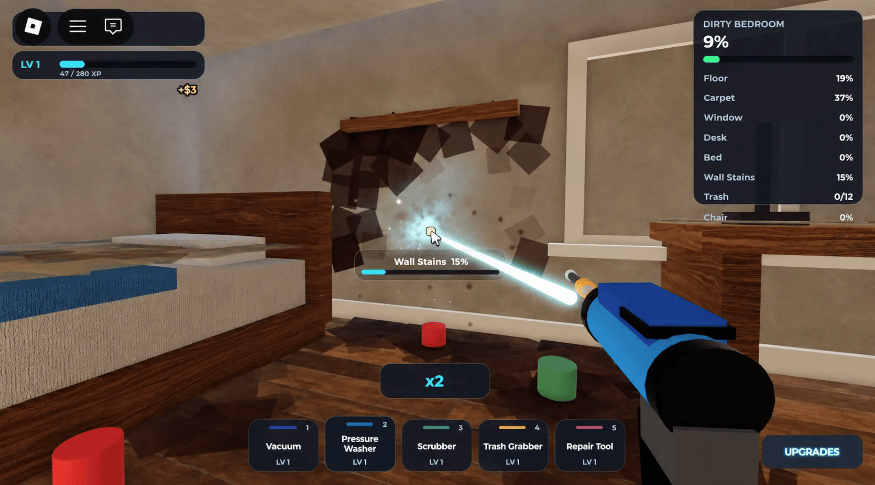
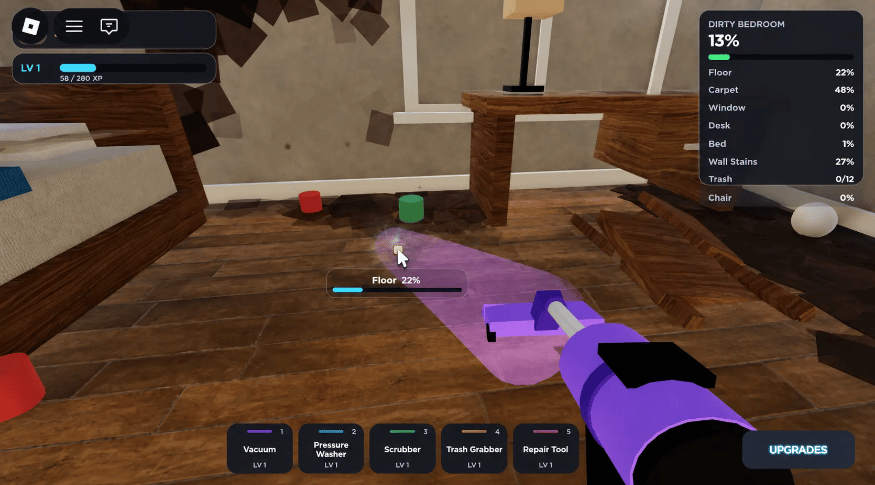
Each room tracks its cleaning progress through separate categories such as floors, carpets, windows, beds, desks, walls, chairs, and trash.

Players earn cash and XP from cleaning tasks, increase their player level, and purchase upgrades for their available cleaning equipment.

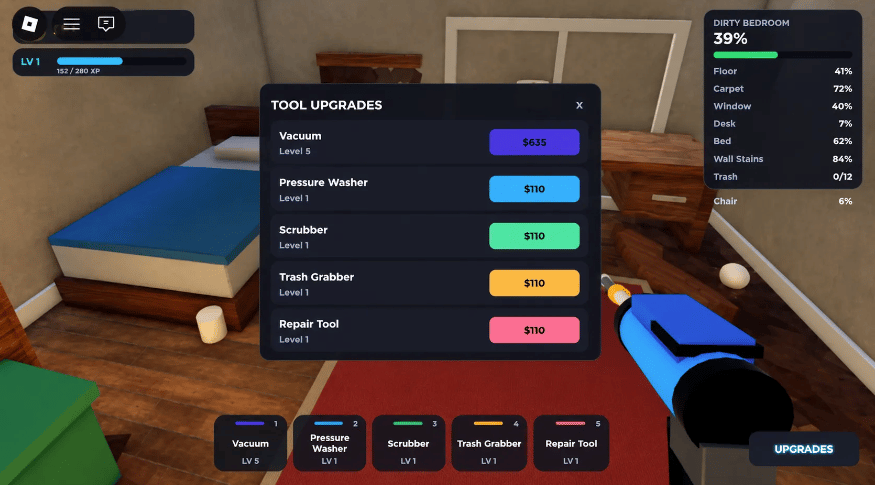
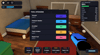
The interface provides tool selection, cleaning progress, room statistics, rewards, and a dedicated equipment upgrade menu.


Key Features


  • Complete room restoration gameplay focused on cleaning and repairing dirty interiors
  • Detailed bedroom environment containing beds, desks, chairs, carpets, windows, walls, and floor surfaces
  • Room-wide cleanliness percentage showing the overall restoration progress
  • Individual progress tracking for floor, carpet, window, desk, bed, wall stains, trash, and chair
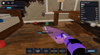
  • Vacuum cleaning tool for removing dirt from applicable surfaces
  • Pressure Washer tool for cleaning suitable room surfaces
  • Scrubber tool for removing dirt and stains from surfaces
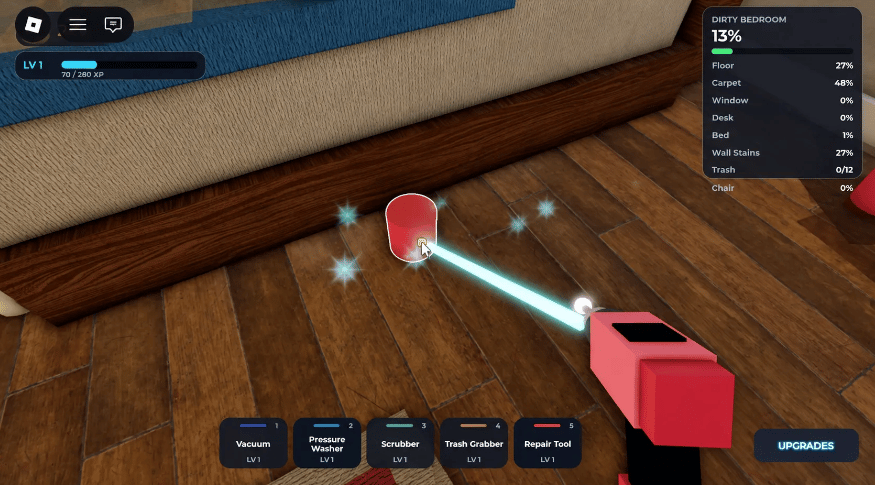
  • Trash Grabber tool for collecting scattered rubbish
  • Repair Tool included as part of the available cleaning equipment
  • Five selectable tools displayed through the bottom gameplay toolbar
  • Individual tool levels displayed alongside each equipment slot
  • Tool Upgrade menu with separate upgrade options for every cleaning tool
  • Cash-based equipment upgrades with individual prices shown in the upgrade interface
  • Player XP system with level progression and an on-screen XP bar
  • Cash reward system for completing cleaning actions
  • Floating cash rewards displayed during successful cleaning actions
  • Surface-specific cleaning progress bars showing the current task percentage
  • Cleaning multipliers such as x2 and x3 displayed during gameplay
  • Visible cleaning effects when working on dirty surfaces and objects
  • Dirt, stains, debris, and other mess elements distributed throughout the rooms
  • Interactive floor and carpet cleaning with separate progress values
  • Wall stain removal tasks with dedicated wall cleanliness tracking
  • Trash collection objectives tracked separately within the room statistics
  • Room furniture included as individual cleaning and restoration categories
  • Equipment progression allowing different tools to be upgraded independently
  • Dedicated Upgrades interface for accessing equipment progression
  • Room status panel identifying the current location and its restoration percentage
  • Tool switching through numbered equipment slots
  • Cleaning interface designed around continuous task progression and visible room improvement
  • Simulator-style progression combining cleaning work, cash rewards, XP, and equipment upgrades
  • Detailed HUD displaying player level, XP, room cleanliness, tool levels, and current cleaning progress


6a8c12bf1c48a7044f67d8ae
You will get a RBXL (118KB) file

KW Studio • Product Guide

Before you use this product

Review the detected asset type, seller context, setup requirements and testing steps before adding this Roblox Studio product to a live experience.

This Roblox Studio asset is listed through KW Studio. Review the live product description, screenshots, seller details, delivery information and setup expectations before use.
Asset type Roblox Studio Asset
Seller Seller shown on page
Availability Shown on product page
Seller status Seller details shown on page

Seller context

Seller shown on this product page

Marketplace seller

KW Studio shows seller details on the product page when available. Full seller background information belongs on the seller profile page, while this product FAQ focuses on product setup, delivery, testing, and buyer expectations.

Product questions and setup guidance

Answers are adapted automatically from the live product page, detected asset type and available seller information.

This is a downloadable Roblox Studio asset listed through KW Studio. Review the product title, screenshots, description, visible features, seller information, and file expectations before using it in a live Roblox experience.

When a KW Studio product page shows a Verified Seller badge, it means the seller has passed KW Studio’s seller verification checks shown on the page. Buyers should still review the product description, screenshots, and setup expectations before purchase or download.

This product is sold by the seller shown on this page. When available, KW Studio displays the seller name, contact options, seller tags, and a seller profile link. Longer seller background information should be reviewed on the seller profile page instead of inside the product description.

Download the file, open or import it inside Roblox Studio, review the Explorer structure, and test the asset in a separate place before adding it to your main project.

This asset can be useful for Roblox developers who want a faster starting point, but the final use depends on your project goals, game structure, customization work, and testing process.

Test the asset in Roblox Studio before publishing. Check file structure, scripts if included, scale, performance, mobile usability, permissions, missing parts, and whether the asset fits your own game.

Some Roblox Studio assets may require importing, configuration, testing, ID replacement, scripting knowledge, or customization depending on what is included.

For product-specific questions, use the seller contact methods shown on this product page when available. For marketplace support, download issues, duplicate purchases, mistaken purchases, unclear listings, or escalation, contact KW Studio support.

KW Studio products are downloadable Roblox Studio assets. Free products and paid products should both be tested before use. Paid purchases are generally final once delivery or download access begins, except where required by law or where KW Studio determines that a genuine delivery, duplicate purchase, seller, or product issue requires support action.

Digital product notice: KW Studio products are downloadable Roblox Studio assets. Free products and paid products should both be tested inside Roblox Studio before publishing. Paid purchases are generally final once delivery or download access begins, except where required by law or where KW Studio determines that a genuine delivery, duplicate purchase, seller, or product issue requires support action. If you believe you purchased by mistake, do not download the file and contact help@kwstudio.org. Review the KW Studio Digital Delivery Policy and KW Studio Digital Asset License before purchase.